










Why Tickie
A queue that moves fast, a ticket validated in an instant, a team that knows everything in real time: that’s where a great event begins.
Smooth entry
Scanning is instant. Your audience gets in fast, and your team stays focused on welcoming them.
Invalid tickets stay outside
A ticket already scanned, cancelled or replaced after resale is rejected automatically, and your team is alerted.
Track everything live
Entries per gate, crowd levels per zone, arrival pace: you manage in real time, even from your phone.
Scanning app
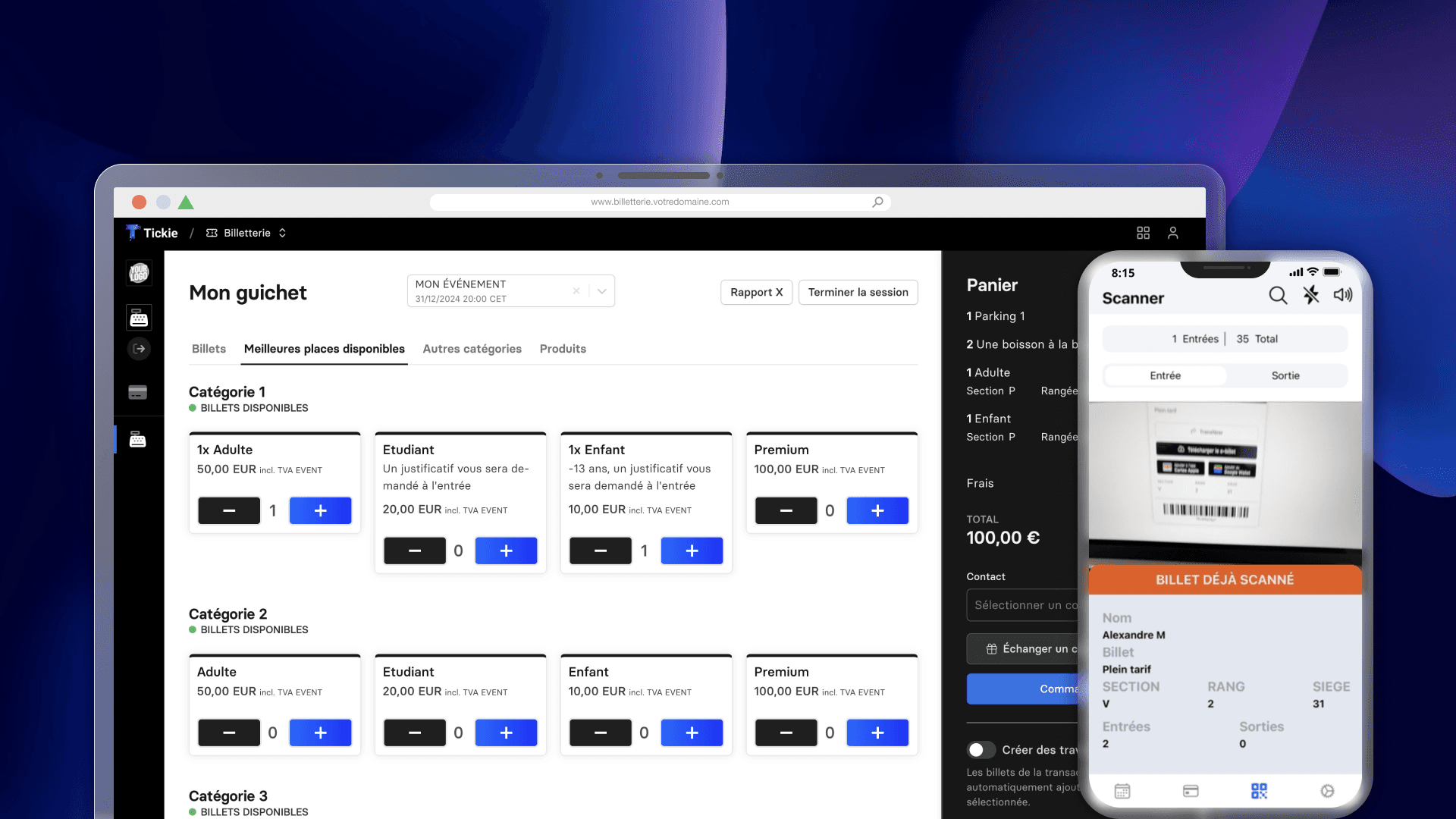
Install the app on your team’s phones and start scanning. Every ticket is checked instantly, with seat and category details.
QR codes, NFC and printed tickets
Works offline too
Ticket already used or cancelled: rejected instantly
Access rules
Gate B
East Stand
Allowed
VIP area
Allowed
Boxes
Denied
Backstage
Denied
Access checked in real time
Zones and access
Define who can go where: stands, VIP areas, boxes, backstage or conference rooms. Each ticket category opens the right doors, and only those.
Access rules by zone and by category
Accreditations, invitations and partner access
Works with RFID, NFC and self-service kiosks
Live operations
Track entries gate by gate, crowd levels by zone and the pace of arrivals. Redeploy your teams at the right moment, from your computer or your phone.
Live entry statistics
Mobile dashboard for your managers
Attendance history linked to your CRM
Live entries
In progress
Gate A
1,842
Gate B
1,205
Gate C · VIP
312
Gate D
968
Crowd levels updated in real time
Features
From the first scan to the last guest, your teams have the right tools.
Go further
Every Tickie module works on its own, and even better together.
FAQ
Do we need to buy hardware to check tickets?
No. The scanning app runs on your staff’s smartphones. For large venues, Tickie also works with self-service kiosks and RFID and NFC systems.
Does ticket scanning work without a connection?
Yes. Checks carry on offline when the network drops: the app still verifies every ticket and rejects tickets that have already been used or cancelled.
How does access control detect fraudulent tickets?
Every ticket is checked when scanned: one that has already been used, cancelled or replaced after a resale is rejected immediately. Your staff are alerted, and every valid ticket shows its seat and category.
Can I manage several entrances and zones?
Yes. You set access rules by gate, zone and ticket category: stands, VIP areas, boxes or backstage. Each ticket opens only the right doors, and you track every entry live.
Can we track entries in real time during the event?
Yes. You follow entries gate by gate, crowd levels by zone and the pace of arrivals, from your computer or phone. That way you can redeploy your staff at the right moment.
What can the scanning app read?
QR codes, on mobile or printed tickets, and NFC. With your RFID and NFC equipment, Tickie also checks season cards, wristbands and contactless badges.
Does a resold or transferred ticket get through access control?
Yes, as long as it’s the new ticket. With official resale or a transfer, a new ticket is issued and the old one is deactivated: only the current holder can get in.
How do we handle accreditations and invitations at the entrance?
You create accreditations, invitations and partner passes, each linked to its authorised zones. At scanning, each badge or ticket opens only the doors set for its holder.
Tell us about your venue and your crowd flows: we’ll show you how Tickie makes event day simpler.
Meeting guaranteed within 24 hours · No commitment
